UK STampers Forum Upgrade News

We have now completed the changeover to the new UK Stampers Forum. The gallery is in use and is great. Why not register for our email Newsletter due to start this week on the forum http://www.ukstampers.co.uk/ ?

Sid xx
Showing posts with label Galaxy Girl. Show all posts

Sunday, 14 March 2010

Week 8 - Black, Metal and Arrows

Well, it seems like ages since I posted anything, and we have so many new members, and to save lots of posts ..... can I just say welcome to you all.

I think, that it is Week 8, but could be wrong, any hoo the challenge was:

  • Black
  • Metal
  • Arrows

and this is what I came up, not the best quality video showing it, but I will be back later with a video of making the whole thing.


Sorry about the quality I was trying to be super quiet as the kids were asleep, and had only just woken up.....

Sunday, 21 September 2008

Phew, just made it for Challenge 7 - Pirate


ingredient list on my blog.
This is a 6x6 zig-zag card, using Sugar Nellie Pirate stamp and computer generated text.

Sunday, 7 September 2008

Saturday, 6 September 2008

Candy...candy....candy.....

take part in our Challenge No. 5 and we'll pick a random entry to give some candy too.

Saturday, 30 August 2008

Another go at the No. 4 Challenge


as usual, make up details are on my blog.

Thanks Efemera for setting this challenge. It initially seemed a difficult colour combo, and way out of my comfort zone, but I think that I quite like it, and it could well be one that I would use again in the future.

Looking forward to tomorrow's new challenge.

Galaxy Girl

Friday, 29 August 2008

Sunday Challenge - No 4


Yay, this is the first time that I've had time to take part - so here's my entry.
Make up details are on my blog.
It feels really great to be back in the crafting saddle again.
Galaxy Girl

Thursday, 10 July 2008

I challenge you

I've loved the new look for Craft Stamper, and I know quite of few of you have copies. So I thought I'd base it around the new August Issue.

To get up back in the swing this one is simple, and far ranging. All you have to do is select something from the issue, and lift it (or just use it as inspiration).

Please post a link in the comments of this challenge on the Cyber Blog (including a note of what page in the mag inspired you), and I will choose at random a couple of people to receive some of the lovely new Dropz (which are teeny tiny zoomz) and some ribbon.

25 points up for grabs for your Use Your Stash too.

Tuesday, 8 July 2008

Wow, look what happens when you turn your back for a moment round here

another host of lovely new members, welcome all of you - we're up to 482 already, and we've only been around for just over 2 years!

Congratulations to Craft Stamper, who've had a marvellous new makeover (August 08 issue out now), and a big thank you to them for mentioning the UK STampers and also they Cyber Blog (see Page 51 "Around the Web").

I really loved the sweet little polymer strawberry stamp, and fab projects incorporating it .... oh, and Isa's wonderful Masterclass on Distress Inks (page 62) is a great resource.

I am sure with such a great first issue with the new look under their belt, they will go from strength to strength, and I'm quite excited out the possibilities in the future.

One article that particularly caught my eye, was the "At the Water's Edge" altered art clothes peg written by Jo Capper-Sandon (page 23). As soon as I get home from our few days away I'll be looking out my Daughter's crayons and having a go making my own background papers - of course, I will also need to bag myself the great Bricks and Mortar sets from Paper Artsy (I can see that they will come in handy time and time again)!

It was also great to see that Zoomz and the Galaxy got a mention on "First Impressions" (page 7), and Tanda's Summer Set 1 was featured in "Stamper's Stash Dash" (page 39).

Galaxy Girl

Monday, 5 May 2008

How do your store yours? ............ share with us how you store your Sugar Nellie and Magnolia stamps

Recently, I have to admit, I have purchased quite a few more Sugar Nellie and Magnolia Stamps, aided and abetted by my Daughter, who just loves each and every image!


Over the last couple of years, I had to think, and re-think just how I store them. I started off with CD/calendar cases (and still have a large collection of unmounted stamps stored like that), then when I got into Magnolia and Sugar Nellie, I started with a CD binder.............it really didn't take me too long to grow out of that solution though.


The best that I've managed to come up with now is some in the original, and by now over-stuffed CD binder and the rest on stored on book rings.


I laminate the image (if it comes with one, or if not I stamp out the image), then stick the stamp to the reverse, place it in a baggie and hang it on the book ring, in turn the book rings are hanging up next to my desk on the rack system I have.

That's as far as it goes at the moment, but clearly I'm going to have to address the indexing of them very shortly as the numbers increase on an almost weekly basis.

Stampers are notoriously inventive and it would be great if you could all share how you store your un-mounteds'. If you're not a Member of UK STampers then please leave us a link in the comments. {Members, don't forget to add a label with your username}.

I can't wait to see what ideas are out there.

Sunday, 10 February 2008

Sugar Nellie Challenge #3 - The colour orange


Nice easy one this week - it's anything with a Sugar Nellie stamp and using the colour orange somewhere on the project.


Hopefully, this is broad enough for quite a few people to play.

Sorry about how dark and horrid my image looks - typical, I left it 'til it got dark to take a photo. Honestly, it looks wayyyy better in real life.

50 points for use your stash, and also some Zoomz for the winner.

Just upload as a Member or send paste a link to the project.

Closes next Sunday.

Sunday, 3 February 2008

Sugar Nellie - Challenge #2 - DAWG GONE IT

You've still got until Midnight to submit any entries for last week's challenge, but I thought I would post this week's one as I have a few spare minutes.


It's dawg gone simple..........you just need to submit a project using the wee Dawg.


Here's mine:


A big welcome to Hannah Haselden, who's kindly agreed to help out with these challenges. This is her entry:


Tomorrow, we'll decide who gets the Zoomz, so watch out for the announcement.

Last week I forgot to mention that there are also Use You Stash points to be had. Each challenge under this will yet you 50 points.

If you are not a Member of UK STampers (why not?).....you can send us a jpeg and we will upload it to the blog for you. Better still, join and you will be able to upload it yourself.

Looking forward to seeing the creations - thanks for playing.

Galaxy Girl, Admin

Sunday, 27 January 2008

Sugar Nellie - Challenge #1


So many of us now have a growing collection of the wonderful Sugar Nellie stamps, that we thought it would be fun to post regular challenges featuring the stamps.


All you need to do is post a link, showcasing a project using at least 1 Sugar Nellie Stamp (from any of their ranges). If you haven't got a blog, email us with a jpeg image, and we will upload it for you.


This challenge is open to anybody, not just Members of UK Stampers'. Don't forget if you are a Member to include your label if you upload to the blog. If you're not a Member, why not....we would love to welcome you to our forum.


So this is the first one: CHECK IT OUT!


We want to see something that features checks in any size or colour.


Challenge closes on Sunday, 3rd February 2007, when we will pick our favourite entry, and send them some Zoomz as a prize.

Thursday, 11 October 2007

Autumn Wonderment


As I started to get dressed this morning, I noticed that there was a marvellous mist drifting across the heads of the two new ponies that have taken up residence in our paddock, and I enjoyed a few minutes of repose as I just sat and watched it.

Then when I walked outside, the air was brisk and a lovely Autumnal smell was really noticeable. As I drove through the lanes to work, I also noticed that the trees are beginning to drop, and colour up, I also remembered that we haven't had a challenge for a very, very long time.

So here's my contribution a lovely little Autumn inspired notebook for my Daughter, using one the the images Stampingcaz kindly gave me the other day.

So this challenge is to get you to create something inspired by Autumn - the colour, the smell, Harvest Festival, Thanks giving even for our lovely members and visitors from over the pond. It can be big, small, cute, arty or altered, just create.

Looking forward to what you do................oh, and as I'm feeling generous there is a nice points allowance attached to it for the UK STampers of 35 points.

For anyone who isn't a Member, you can leave a link in the comments section to your uploaded project - better still, join our forum.

Galaxy Girl

Thursday, 13 September 2007

Photobucket Image Tutorial

First things first, you will need to go to Photobucket and register for an account.


You will have the choice of a free one, or a paid one. There is not much difference, the free one stores around 50Mb of pictures and available monthly bandwidth of around 2500Mb - you get more of each of these for the paid version.


Also bear in mind that if you don't upload for 6 months with the free version it will be deleted. I believe though, that they do helpfully send you an email to advise you before they go ahead and do it.


Once you've got initial decision of free of paid, and continued your registration, you are ready to upload any pictures that you have saved on your PC.


How to do this:


  1. Go to Photobucket, and log into your account.

  2. You will be taken to the "Upload Images & Video Screen".

  3. Click on the "Browse" button, and navigate to the relevant imagefile on your PC.

  4. Click "Upload".

  5. Continue to repeat 3 & 4 until you have loaded all the picturesyou want at that time. The pictures will appear below the "Browse" boxes, and over time youwill build up your album. You will also notice when you look at your album there are four boxes below each uploaded picture they are Email & IM, Direct Link, HMTL Tag and IMG code - on the premise that knowledge is power, retain this fact for a bit. Suffice to say, that you will need to know!

With me so far, then now you need to know is how to display the pictures on here, or the forum for that matter.


For displaying on the forum:

  1. In Photobucket scroll to the picture that you wantto use in the thread.

  2. You will see three code boxes underneath it (see, I said you would need to know this bit) choose the one that is named "HTML Tag".

  3. Left click on the TAG code, it will highlight in blue, now right click and select copy.

  4. Then go to the forum, log in if you haven't alreadyand go to/create the thread in the forum that you want to post the picture into, and in the message box right click and select paste. Voila, the TAG code will be pasted into the box. Note to yourself at this point, that you can't actually see the picture (just the code)......do not panic and think that you've gone wrong .......when you preview of post your message, hey presto there it will be. I say this, not because I think you are stupid, but because I MUST be as I didn't understand that at first. Is it me, yes it is.

Nice and easy lemon squeezey, job done.


For display in the blog:


  1. In Photobucket scroll to the picture that you want to use in the blog entry.

  2. But use the Direct Link code.

  3. Left click on it, it will highlight in blue, now right click and select copy.

  4. Then log onto the Blog and create a new post, or go to your draft post (if you are already ahead of me on this).

  5. Click the little picture icon in the post toolbar,and instead of browsing (as you no doubt already do) choose the box tothe right of this which is called "URL".

  6. Right click in this box and select paste, then click "upload", the click "done".

  7. The picture will then appear in the blog entry.


There could now be a long and extremely tedious bit about making surethat you remember if you move your picture in Photobucket to a sub-album that you will loose the codes, etc.....but if you really are interested......or, if this has happened to you..........an extensive explanation can befound on Photobucket.


Personally, I will leave those riveting facts for another day.


Happy uploading.


Don't forget, any problems at all one of the members, moderators or adminibots will always be more than happy to give you help..........or pass the tissues and the bottle of chilled vino.

Tuesday, 21 August 2007

Ice Cream Card


details and ingredients for this card can be found on my blog here.

Wednesday, 15 August 2007

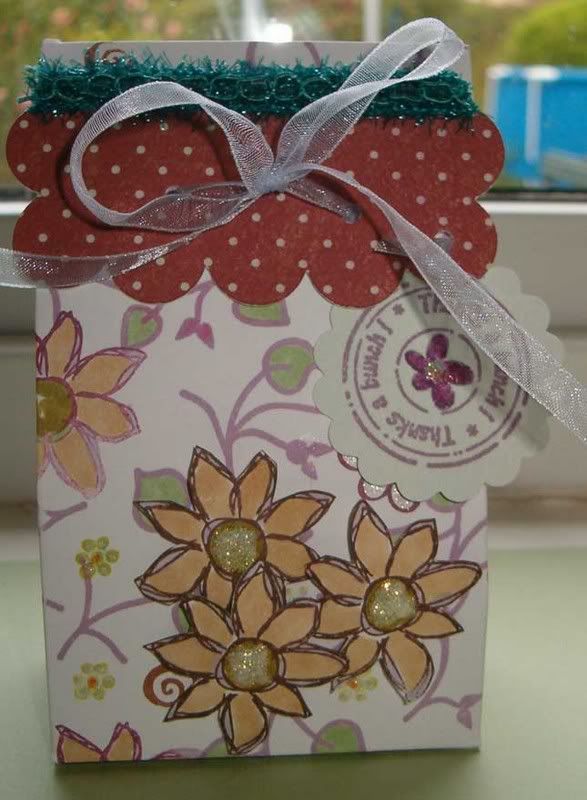
2-5-7-10 Box


you can find supply details on my blog here, but the actual receipe with photos will be in the UK STampers newsletter..........which I promise will be coming very soon.


It's perfect for a small gift, I added loads of yummy M&M's to this one as a thank you for my Daughter's summer camp group leader, but equally you could make wedding favours, or put some jewellery in.

Wednesday, 1 August 2007

UK STampers Use Your Stash - Challenge #1


My ATC with total points gained 7.

Details of ingredients used can be found on my blog.

Tuesday, 17 July 2007

Define your Space Challenge


Been catching up a bit more on challenges, etc., and this is one of my contributions to the Define your Space Challenge set a while ago.

Fuller details on it are on my blog.

Sunday, 15 July 2007